

Phone app
Lev Finance
Invoices, expenses and approvals. See what is owed and what is overdue, raise an invoice, approve a claim and read the reports.
Your money, in your pocket
Lev Finance shows what is owed, what is overdue and what needs your sign-off, wherever you are.
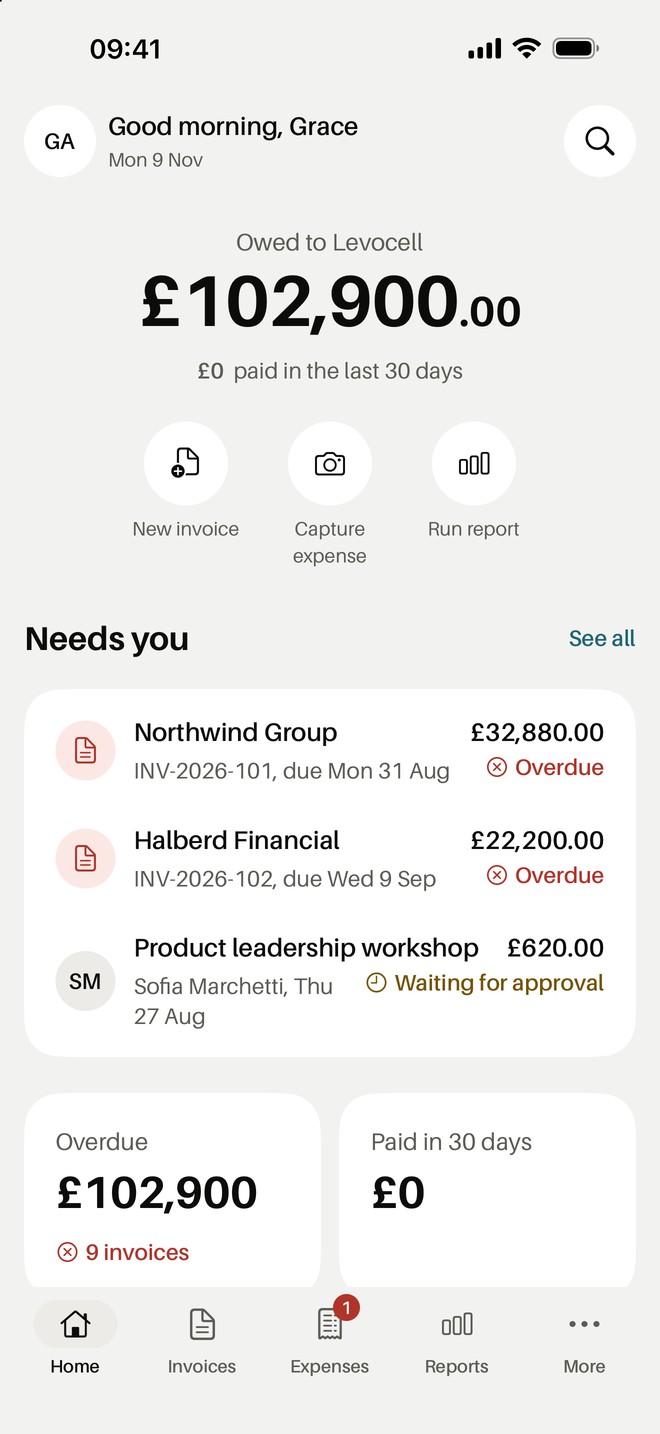
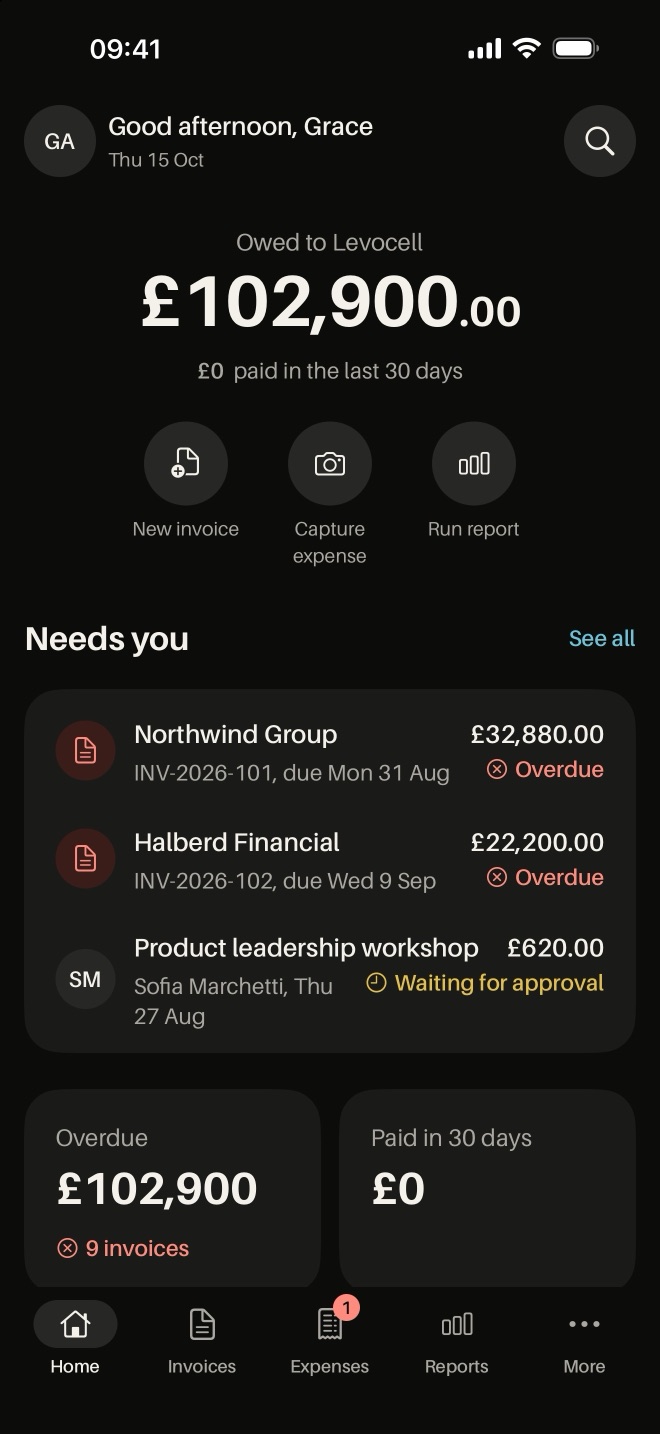
Home
See what is owed, what is overdue and what needs you, as soon as you open the app.
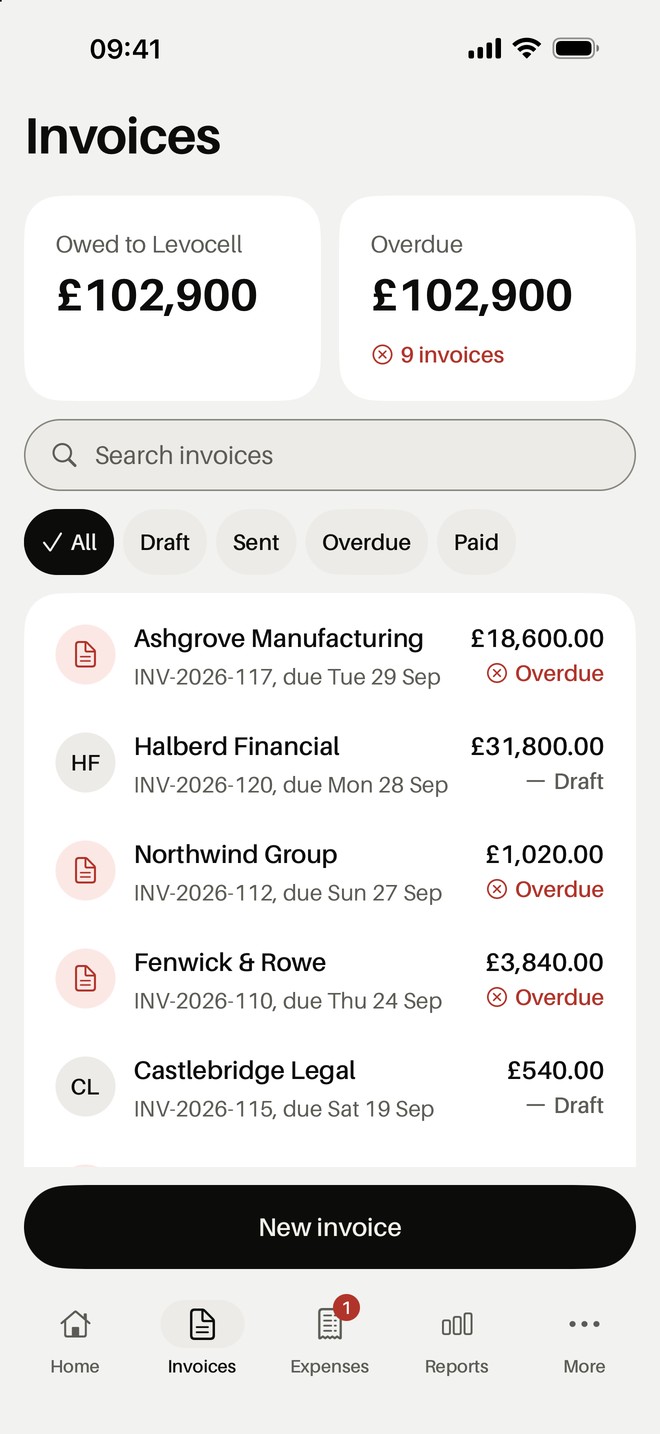
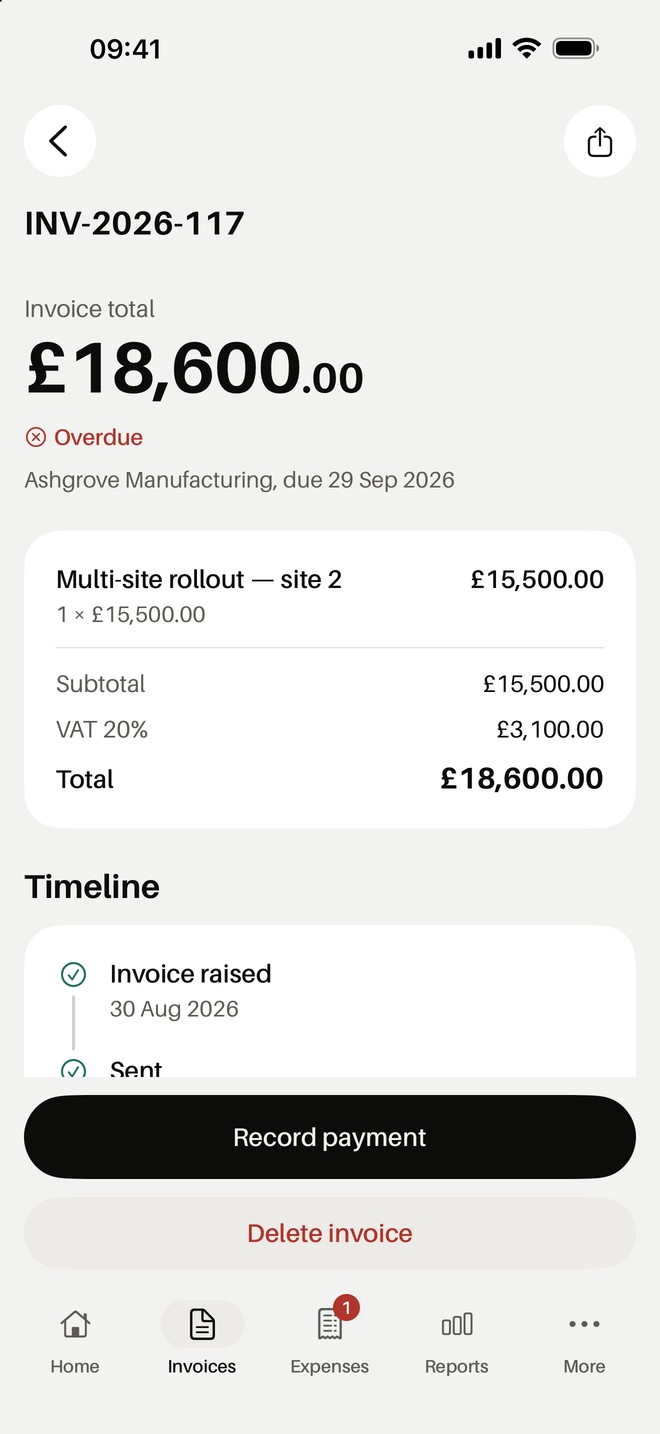
Invoices
Every invoice and its status: draft, sent, overdue or paid.
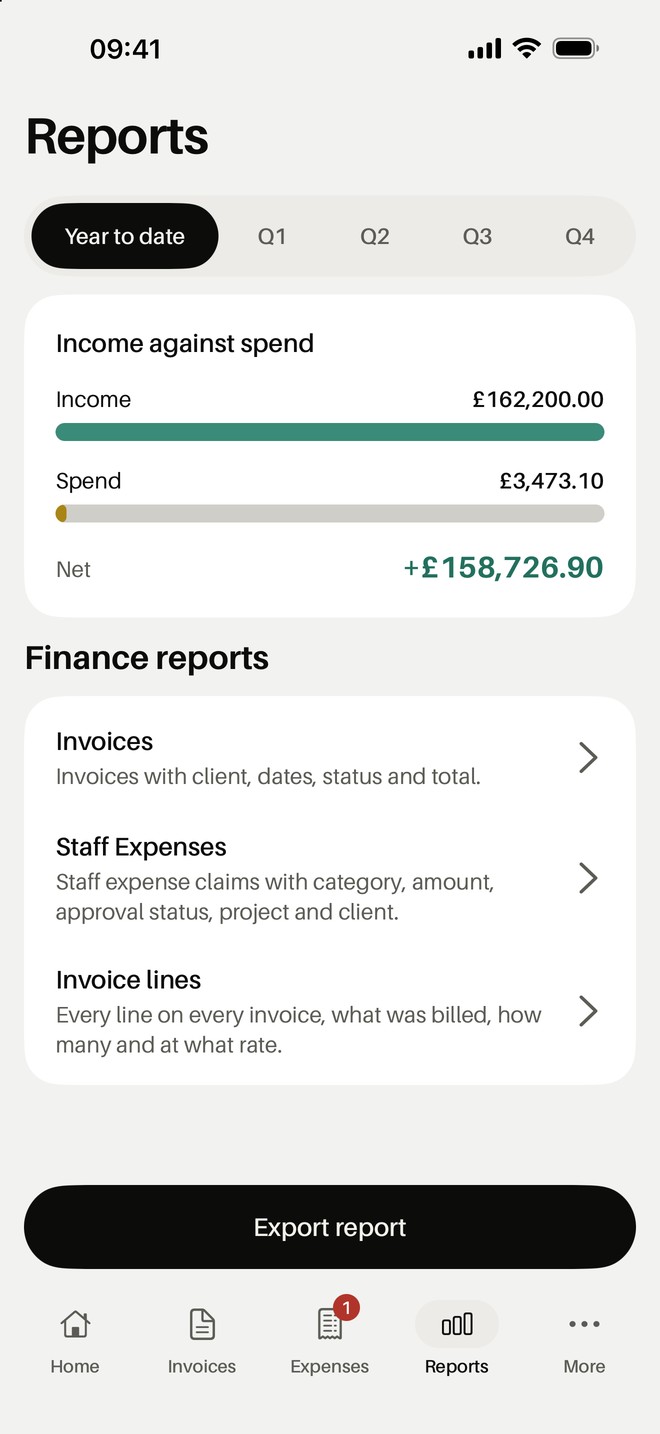
Reports
Income against spend, with reports you can export.
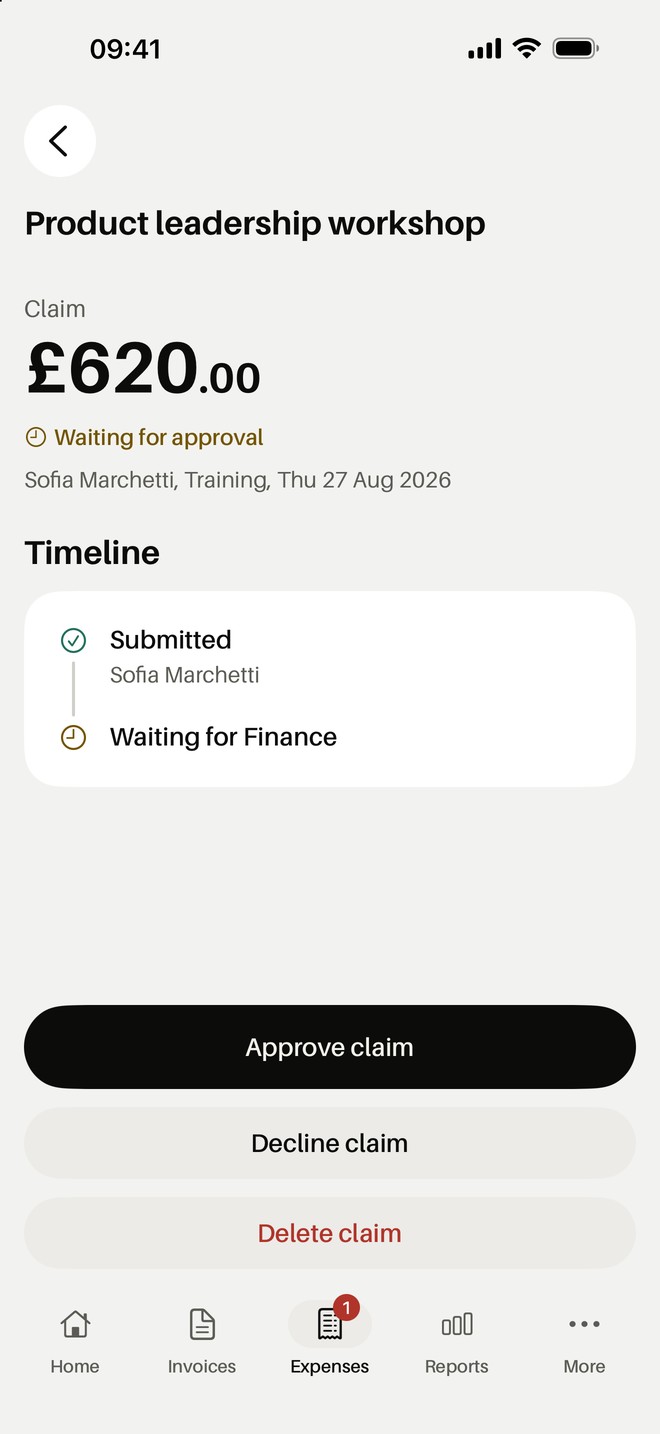
Approve expenses
Approve team expense claims with the receipt photo attached.
Light or dark
Choose the light or dark theme, or match your phone. Both are easy to read at a glance.
Raise an invoice
Create and send an invoice from your phone.
Sound familiar?
The everyday problems Lev Finance is built to fix.
Which invoices are overdue?
Overdue at a glance
Overdue invoices are flagged on the home screen.
My expense claim is still waiting.
Approve on the go
Managers approve claims from their phone, receipt and all.
How are we doing this month?
Reports in your pocket
Income and spend reports, ready whenever you need them.
See it in use
Real screens from Lev Finance. Scroll sideways to see them all. Click a screen to enlarge it.
Home
Invoices
An invoice
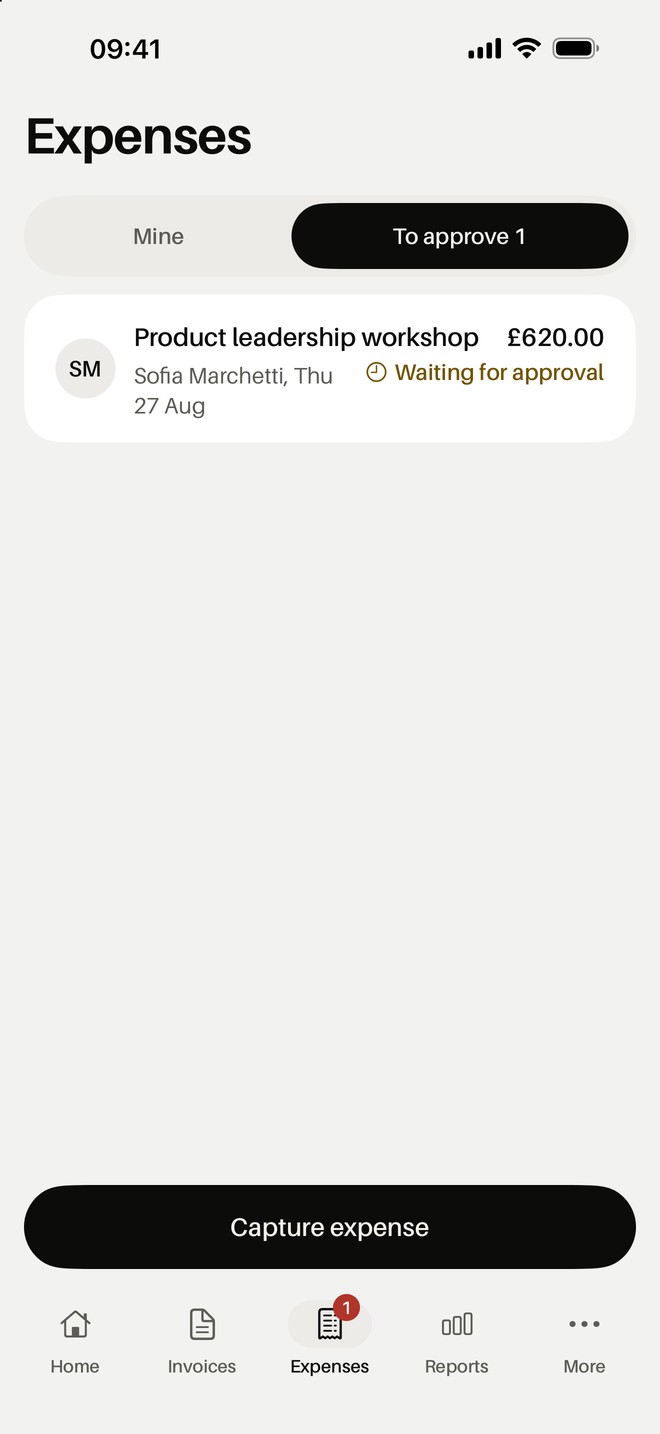
Expenses
An expense
Reports
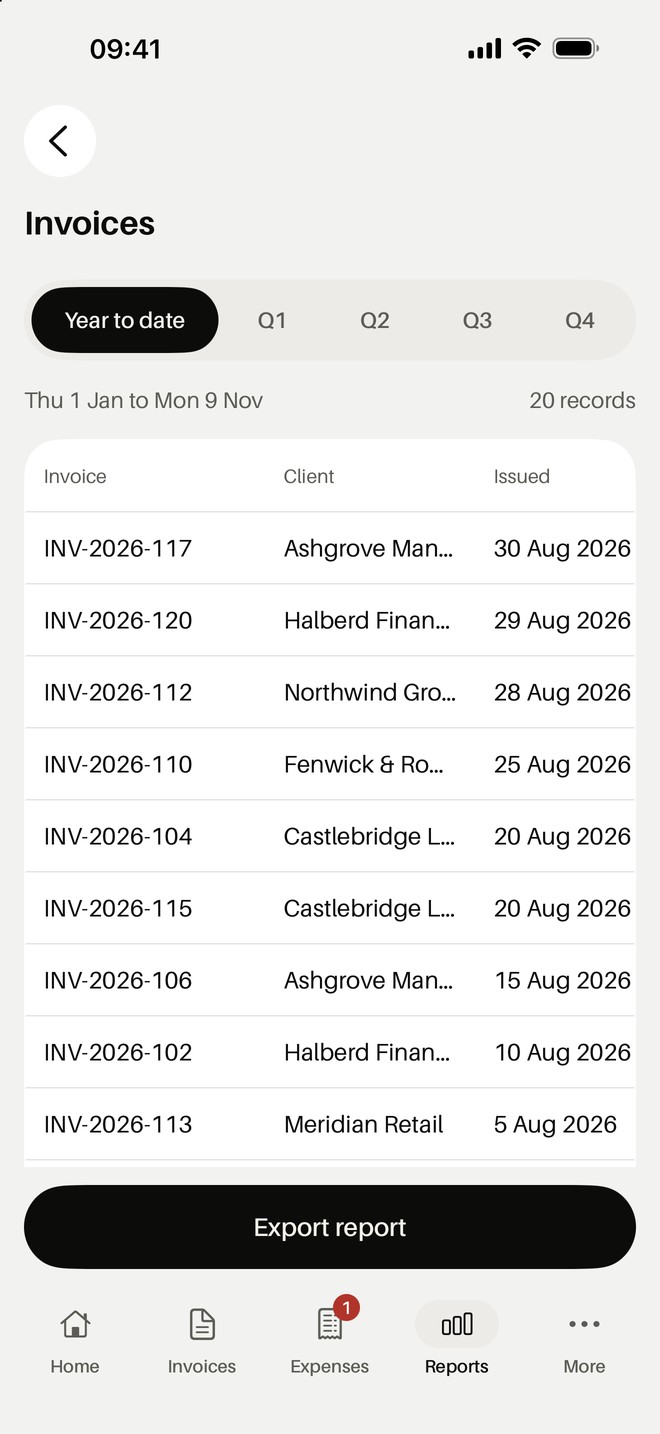
A report
Pricing
Use Lev Finance on its own, or get the whole of Lev Orbit for less per app.
Lev Finance on its own
£X.XX
per user, per month + VAT
Everything in Lev Finance, with sign-in and permissions managed in Lev Workforce.
Or get Lev Workforce and all four apps
£4.99 per user, per month + VAT for 1-24 users. Once your team reaches 25 users, every user drops to £3.99 per user, per month + VAT, a 20% saving.
- Lev Workforce (Web Platform)
- Lev HR, Lev CRM, Lev Finance and Lev IMS
- All Features Included
Questions about Lev Finance
Anything else, talk to us, or see the main FAQ.
When can I download it?
It is on its way to the App Store and Google Play. Until then, every feature is available in Lev Workforce in your browser.
Do we need a separate login?
No. Everyone signs in with their Lev Workforce login, and the permissions you set there follow them into the app.
Who can approve expenses?
The people you give permission to in Lev Workforce.
Do staff claim expenses in Lev Finance?
Staff claim expenses in Lev HR with a photo of the receipt. Lev Finance is where they are approved.